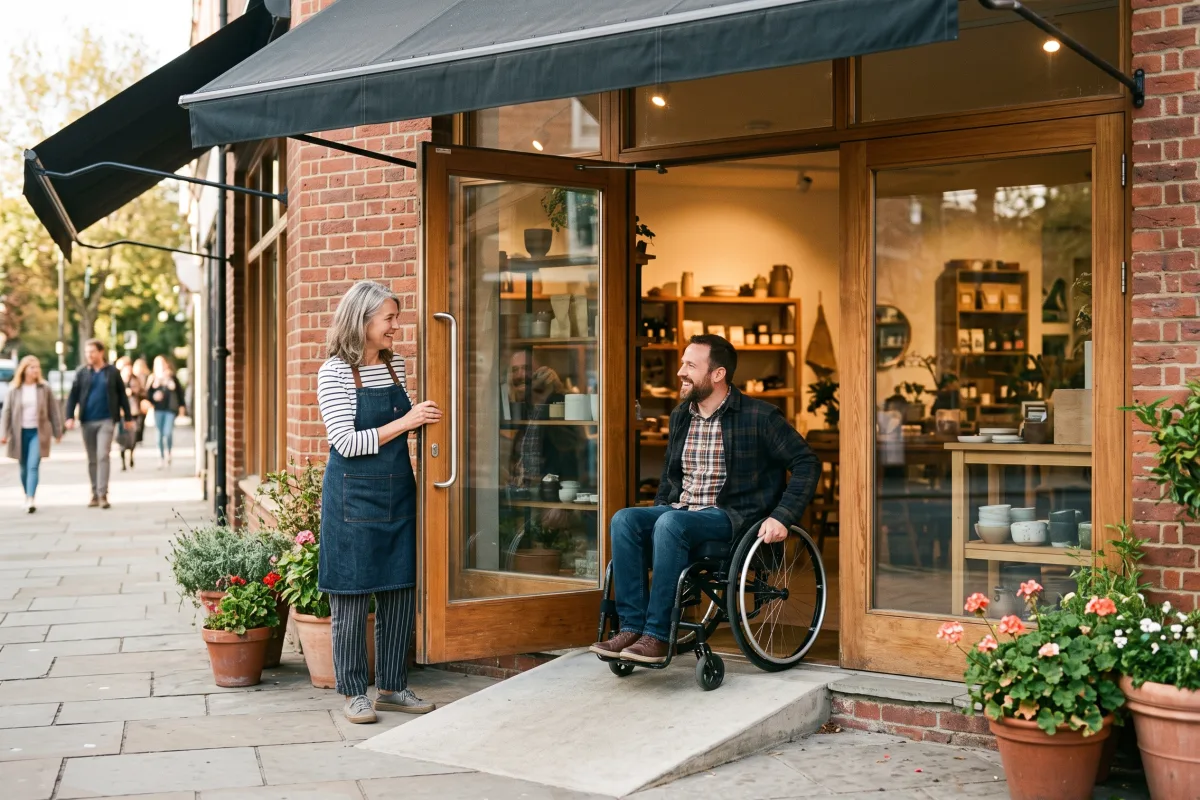
About one in four adults in this country lives with a disability, and most of them have had the experience of turning around at a front door because there was no way in. When that happens at your business, you rarely hear about it. The customer just goes somewhere else, and you never learn why the sale did not happen.
Why This Matters
- A single step at your entrance turns away wheelchair users, parents with strollers, and older customers with walkers — people who usually shop with family, so one barrier can cost you four sales instead of one.
- Most small business websites fail basic accessibility checks: unlabeled images, light gray text on white, buttons that only work with a mouse, and menus locked inside a PDF a screen reader cannot open.
- Accessibility lawsuits against small businesses keep climbing, and most now target websites rather than buildings. Defending one costs far more than fixing the problem would have.
- Customers with accessibility needs are fiercely loyal once they find a business that works for them, because their options are limited and switching is expensive for them.
- Many owners assume compliance means an expensive renovation, so they never start — when a few hundred dollars of changes would have closed most of the gap.
What Actually Works
Walk your own entrance like a customer who cannot walk it. Measure the doorway width at its narrowest point (you want at least 32 inches clear), check whether the threshold has more than a half-inch lip, and see how much force it takes to pull the door open. A portable threshold ramp runs $150 to $400, and adjusting a door closer is a five-minute job with a screwdriver.
Fix the inside path next, because it is mostly free. Aisles need 36 inches of clear width, and in most shops the obstruction is a display, a sandwich board, or a stack of boxes that migrated there last season. Move them, then make sure one section of your counter or a nearby table sits around 34 inches high so someone seated can sign a receipt comfortably.
Run a free scan on your website and fix the top three issues. Tools like WAVE or the Lighthouse accessibility audit built into Chrome will flag your problems in under a minute. The culprits are the same everywhere: add alt text to each image, darken text that fails contrast, and give every form field a real label. Then unplug your mouse and navigate your own site with the Tab key — if you cannot reach your contact form, neither can a screen reader user.
Publish what you have, honestly. Add a short accessibility note to your website and your online listing: entrance type, restroom situation, parking, whether service animals are welcome, and how someone can reach you if they need help. Customers are not expecting a perfect building. They are deciding whether the trip is worth it, and silence reads as a no.
Is This Right for You?
If you serve the public from a physical location or take orders through a website, this belongs on your list this month, not next year. The entrance audit and the free website scan take an afternoon together and will surface nearly everything that matters. If you are about to sign a lease, negotiate accessibility work into the buildout now, while the landlord still wants your signature.
If you are pre-revenue or operating entirely as a solo consultant with no public storefront, handle the website side now and revisit the physical side when you take on space. And if your building is historic or structurally difficult, do not let that stall you — the standard for existing buildings asks only for what is readily achievable, so document what you fixed, price what you could not, and keep working the list as cash allows.
Frequently Asked Questions
Does the ADA even apply to a business as small as mine?
Yes. Unlike many employment rules, the public accommodations requirements have no employee minimum — a two-person coffee shop is covered the same as a chain. What changes with size is the standard applied: existing small businesses are asked to remove barriers that are readily achievable given their resources, not to rebuild.
Is there any money to help pay for this?
There is a federal disabled access tax credit for small businesses that covers half of eligible spending between $250 and $10,250 in a year, plus a separate deduction for barrier removal. Ask your accountant to look at both before you write off a project as unaffordable.
How do I know if my website is compliant?
There is no certificate to buy, and any vendor selling you an instant compliance overlay widget is selling you a problem — those tools have been named in lawsuits themselves. The practical standard is WCAG 2.1 Level AA. Run a free audit, fix what it finds, test with your keyboard, and keep a record of what you addressed and when.
Accessibility is not a legal chore so much as the simplest growth work available to you: every barrier you remove is a customer who can finally spend money with you, and the folks around you in LaunchRolesville are dealing with the same doorways and the same websites. Pick one thing this week — measure the door, or run the scan — and you will be further along than most.